Background
Our company provides customized software for each client.
Our team was a newly established web platform team that took on many new projects.
As a result, managing and maintaining multiple projects with limited personnel required significant energy.
Clients were continuously submitting additional requirements.
I thought about ways to overcome this.
Refactoring the entire project at once was difficult to schedule due to new and existing work commitments.
So we decided to start by working on one tab within a high-priority page in the project.
If this work was completed successfully, it would serve as a solid reference for applying to other pages as well.
Additionally, even if the original developer left, management and maintenance would be much smoother.
Requirements Analysis
The client requested the ability to directly configure menus and options that had previously been hardcoded,
as well as the ability to add and delete them.
To make things as freely configurable as possible, we needed a solidly designed set of agreements as a foundation.
For this web software, the connection was: Client (Front-end) → Server (Back-end) → Embedded Server (Embedded).
The embedded side wanted the Client to handle various restrictions like integers, floats, max values, min values, and type constraints due to hardware limitations (exact cause unknown).
So through continuous communication, we defined key values for rendering UI in JSON format,
and implemented it by mapping those JSON structures to generate the UI.
The approach was to render the corresponding UI within a card and receive data alongside it.
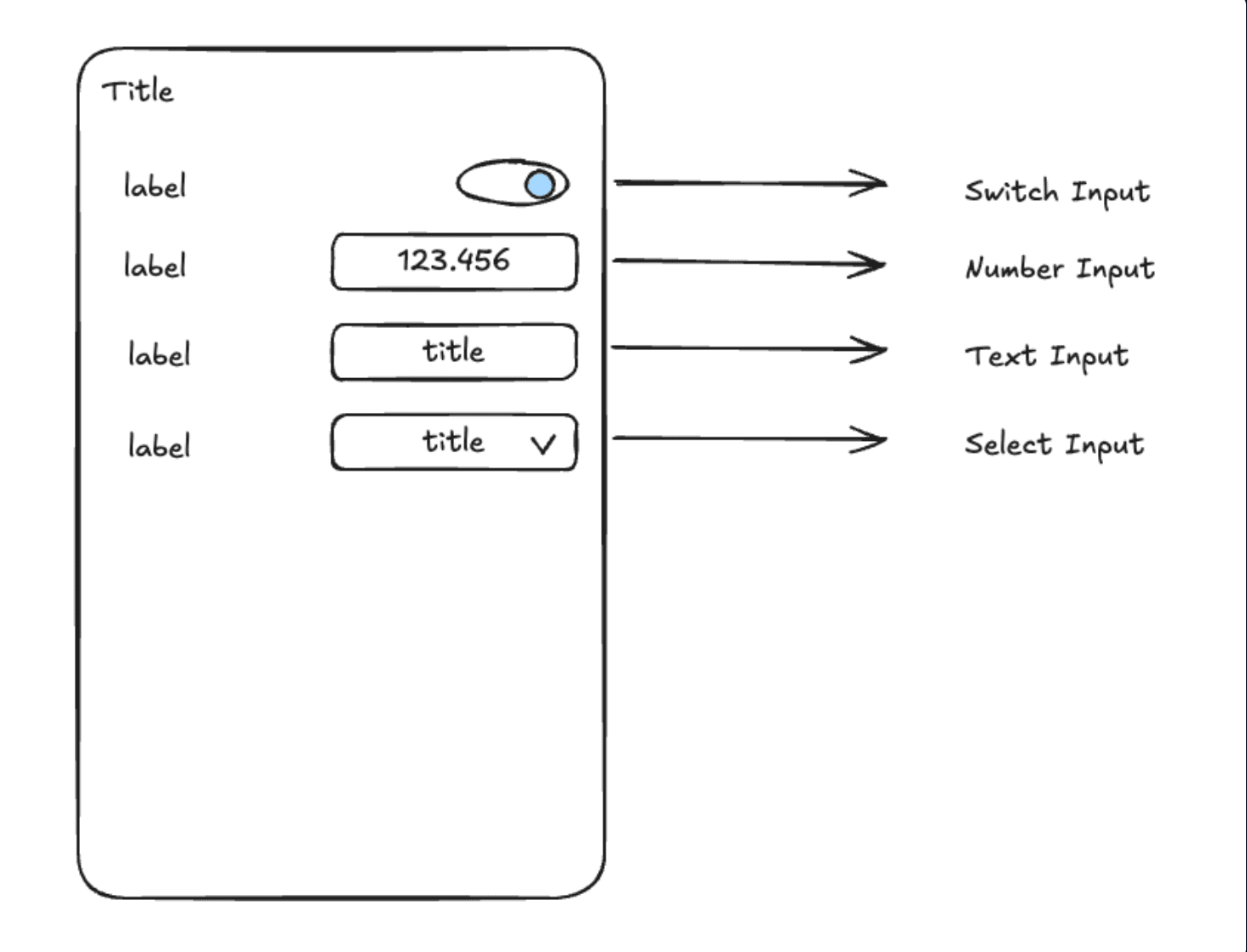
We broadly agreed on 4 input types to receive: Switch, Text, Number, and Select.
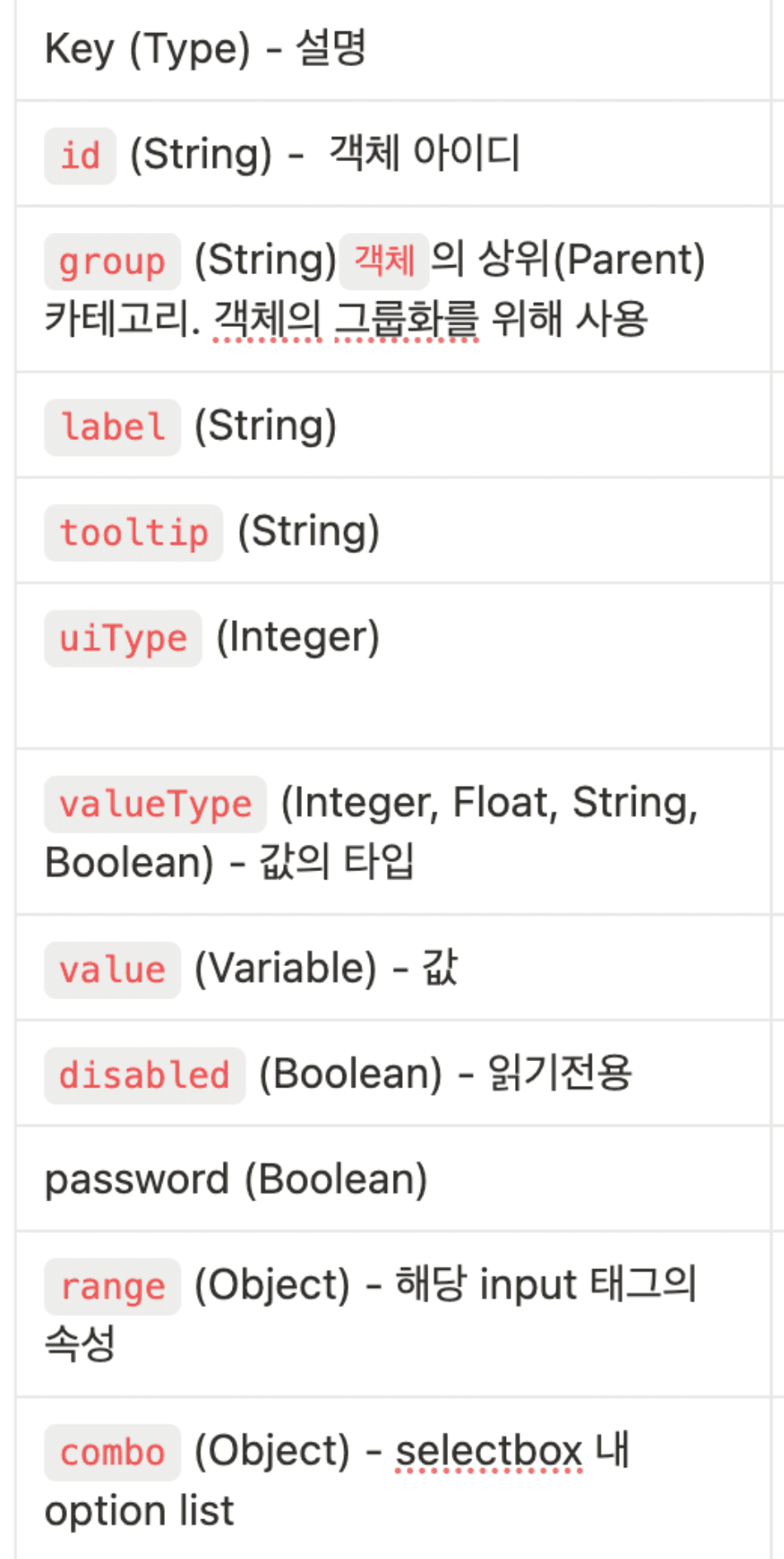
The image above is part of the specification (other parts are private...). While it's difficult to explain the detailed characteristics, since many technical terms go into labels, we generated the UI through the values of these keys—including tooltips for explanation and input rendering based on uiType. We decided to implement the UI responsively with mapping so the count could grow infinitely.
Component Structure
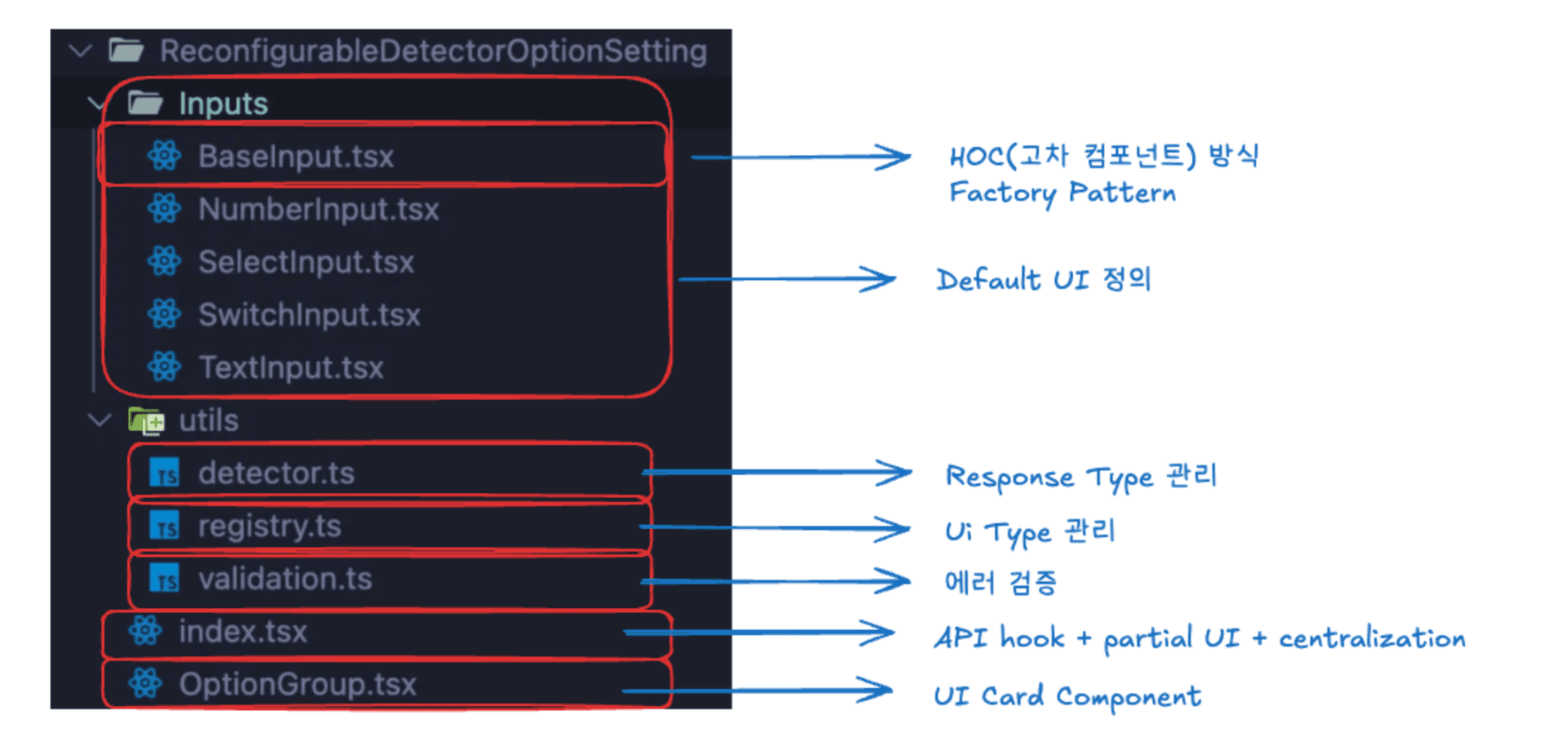
The client code was structured as shown above, modularized and designed for future extensibility.
UI Result
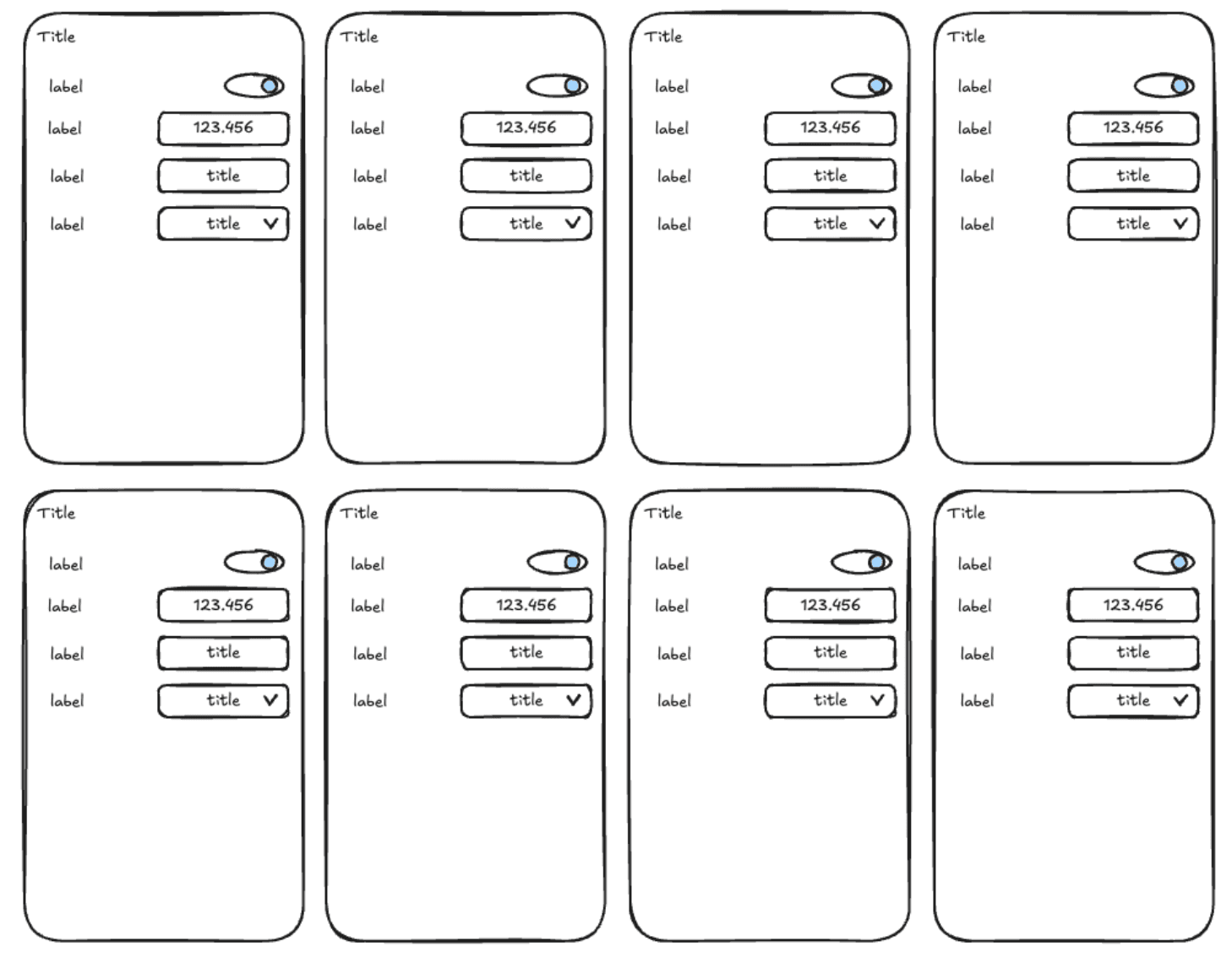
The UI above is a sample rendering. When 8 agreed-upon JSON objects come in, it appears like the above. All actions and states were confirmed to work without issues.
Improvements
1. Handling Potentially Duplicate groupNames
It was noted that the IDs of individual inputs within a group might not be unique and could be identical.
Since the embedded module said it was difficult to control on their end and asked the client to handle it,
I simply combined each input's ID with the groupName to create unique IDs.
I modified it so that requests and responses could reference these unique IDs.
2. C++ Hardware Module Data Optimization
Communication follows a Client (Frontend) → Local Server (Backend) → Embedded Module (C++) pattern. Since the embedded module is hardware, optimizing performance was crucial. So while we receive all data, it was efficient to send back only the changed values. To implement this improvement, I captured each input's ID within the group, filtered them, and modified it to send only changed values. Additionally, since many options required decimal precision for precise hardware control, I needed to distinguish between incoming valueTypes—not just "String," "Boolean," and regular "Number," but specifically Integer and Float (floating-point data). So I added a valueType checking function in between and added an option to check the valueType before sending to the server.